
Download ClearSeas ai – Free AI Business Web App, Secure & Updated
Intro & Overview
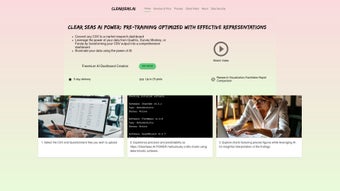
ClearSeas ai arrives as a fully web‑based AI business platform that promises to democratize predictive analytics for companies of every size. Launched on Softonic in late May 2025, the service is positioned as a free‑to‑download solution that runs entirely inside a modern browser, eliminating the need for bulky installers or local runtime environments. This approach aligns with the growing trend toward cloud‑first software, where the heavy lifting—model training, data processing, and security updates—is performed on secure servers while end‑users enjoy a lightweight, responsive interface.
ClearSeas ai targets a broad audience: data‑savvy analysts can dive straight into its machine‑learning engine, while marketing managers, sales leaders, and C‑suite executives can leverage ready‑made templates for sales forecasting, customer segmentation, and operational efficiency. Security is baked in through SSL/TLS encryption, role‑based access controls, and optional two‑factor authentication, which makes the platform suitable for regulated industries such as finance, healthcare, and e‑commerce. Because the application is browser‑agnostic, it works on Windows, macOS, Linux, as well as on mobile browsers for iOS and Android, ensuring that teams can collaborate from any device without compatibility headaches.
In short, ClearSeas ai combines the power of AI‑driven insights with the convenience of a zero‑install web app, offering a compelling entry point for businesses that want to experiment with advanced analytics without incurring licensing fees or complex IT overhead.
Core Features & Installation Guide
Key Features & Functionalities
- AI‑Powered Analytics Engine: Generates predictive models for sales, churn, and market‑trend analysis using pre‑trained machine‑learning algorithms.
- Real‑Time Interactive Dashboards: Visualizations update instantly as new data streams in, allowing KPI monitoring without manual refresh.
- Cross‑Browser Compatibility: Fully functional on Internet Explorer 11+, Firefox, Opera, Safari, Chrome, and Edge.
- Pre‑Built Business Templates: Ready‑to‑use templates for financial forecasting, customer segmentation, and supply‑chain optimization.
- Collaborative Workspace: Multi‑user editing, comment threads, and version history keep teams aligned.
- Secure Cloud Hosting: SSL/TLS encryption, two‑factor authentication, and granular role‑based permissions protect corporate data.
- Automated Updates: Server‑side patches and feature releases are applied automatically, guaranteeing the latest security standards.
- Export Options: Export insights to PDF, CSV, or push data directly into Power BI, Tableau, and other BI tools.
- RESTful API Integration: Pull analytics into custom applications or ERP systems with straightforward API calls.
- Scalable Cloud Architecture: Elastic resources support anything from a five‑person startup to a multinational enterprise.
Step‑by‑Step Installation & First‑Time Setup
- Navigate to the official ClearSeas ai download page on Softonic and click the Download Free button.
- A small installer (≈ 15 MB) is downloaded; it creates a desktop shortcut and registers the web‑app as the default handler for the ClearSeas URL.
- Run the installer, accept the license agreement, and let the wizard complete in under a minute.
- Double‑click the newly created shortcut; your default browser launches the ClearSeas ai login page.
- Create a free account or sign in with corporate credentials. Enable two‑factor authentication for added security.
Onboarding Workflow
After the first login, an onboarding wizard guides you through three quick steps: (1) selecting your industry to surface relevant templates, (2) connecting data sources such as CSV files, Google Drive, OneDrive, or direct database links via the API, and (3) defining user roles (Admin, Analyst, Viewer). Within ten minutes you have a personalized dashboard ready for daily use. The platform’s drag‑and‑drop widget system lets you rearrange charts, set threshold alerts, and schedule automated email or Slack reports. Because the application lives in the cloud, all updates—including security patches and new feature rollouts—are applied automatically, so you never need to reinstall or manually patch the software.
In everyday practice a marketing analyst might open the “Campaign Performance” dashboard each morning, adjust a date filter, and export a PDF summary for the weekly leadership meeting. Simultaneously, a sales manager could configure a lead‑conversion alert that triggers a push notification to their mobile device when performance dips below a predefined level. All comments, annotations, and task assignments are stored in real time, ensuring that every stakeholder sees the latest insights without leaving the platform. This seamless blend of powerful AI features, collaborative tools, and a zero‑maintenance installation model makes ClearSeas ai a strong contender for businesses seeking fast, secure, and cost‑effective analytics.
Compatibility, Pros & Cons
ClearSeas ai is a browser‑first solution, meaning it runs on any operating system capable of launching a modern web browser. Officially supported browsers include Internet Explorer 11+, Firefox, Opera, Safari, Chrome, and Edge, covering Windows, macOS, and most Linux distributions. Mobile browsers on iOS and Android also provide a trimmed‑down view, allowing executives to monitor dashboards while on the move.
Pros
- Runs on all major browsers – no OS‑specific installation required.
- Completely free tier with generous feature set and regular automated updates.
- AI‑driven analytics are accessible to users without a data‑science background.
- Robust security (SSL, 2FA, role‑based access) meets enterprise compliance standards.
- Collaborative workspace reduces silos and accelerates decision‑making.
- Scalable cloud infrastructure supports both small teams and large enterprises.
- Export and API capabilities enable seamless integration with existing BI ecosystems.
Cons
- Requires a constant internet connection; no offline mode is available.
- Customization beyond the provided templates is limited unless you use the API.
- Performance may degrade on legacy browsers such as Internet Explorer 11 compared to modern Chrome/Edge.
- Free tier imposes data‑volume caps; high‑throughput organizations may need a paid plan.
- Advanced model tuning and deep‑learning workflows are not supported out‑of‑the‑box.
Weighing these factors, ClearSeas ai presents a highly attractive proposition for businesses that need rapid AI insights without the overhead of on‑premise installations. The pros—particularly the zero‑cost entry, strong security, and cross‑browser flexibility—generally outweigh the cons for most small‑to‑medium enterprises. Larger organizations with strict offline requirements or highly customized modeling needs might eventually outgrow the free tier, but for day‑to‑day analytics and collaborative reporting, ClearSeas ai delivers solid value.
Frequently Asked Questions
Is ClearSeas ai truly free for commercial use?
Yes. The core version can be downloaded and used at no cost for both personal and commercial projects. The free tier includes unlimited users, basic AI analytics, and standard security features. Premium plans are available for organizations that need higher data limits, custom integrations, or dedicated support.
Which browsers provide the best experience?
While ClearSeas ai supports Internet Explorer 11+, Firefox, Opera, Safari, Chrome, and Edge, we recommend using the latest version of Chrome or Edge. These browsers deliver the fastest JavaScript execution and full support for the interactive AI visualizations.
Can I integrate ClearSeas ai with existing BI tools?
Absolutely. ClearSeas ai offers export options to PDF, CSV, and direct connectors for Power BI and Tableau. Additionally, the RESTful API lets developers pull analytics into custom dashboards, ERP systems, or other third‑party services.
How secure is my data in the cloud?
Security is a top priority. All data transmission uses SSL/TLS encryption, data at rest is stored in encrypted databases, and access is controlled through role‑based permissions. Two‑factor authentication is available for all accounts, and monthly security patches are applied automatically.
Do I need special hardware to run ClearSeas ai?
No special hardware is required. Because the processing occurs on the server side, any modern computer, tablet, or smartphone that can run a supported browser will provide a smooth experience.
Conclusion & Call to Action
ClearSeas ai stands out as a versatile, free‑to‑download AI business web app that blends powerful predictive analytics with an intuitive, collaborative interface. Its cross‑browser compatibility, robust security measures, and automatic cloud updates make it an ideal choice for teams that want to adopt AI without the steep learning curve or costly licensing fees of traditional data‑science platforms. While the lack of offline capability and limited deep‑customization may be a drawback for niche use cases, the overall value proposition is strong for most small‑to‑medium enterprises and even larger organizations seeking a quick, secure analytics layer.
Ready to experience AI‑driven insights without the hassle of installations or licensing fees? Free download today and start turning data into actionable decisions. After you’ve tried the platform, please leave a rating or comment on Softonic – your feedback helps the community and the developers keep improving the tool.



.png)



